What Is SEO? Simple Explanation for Beginners
Have you ever wondered why one page rises to the top of search results while another stays hidden?
I’ll explain this in plain language and set realistic expectations for founders, creators, and students in India.
I mean practical steps you can take today to help search engines and real users find and trust your content.
Search engine optimization is not a magic trick. It helps a search engine understand your site and helps users decide which link to click.
Google finds many pages through links and sitemaps, but there’s no instant guarantee of indexing. Changes often take days to months.
In this guide I walk from basic definitions to hands-on tactics. You’ll learn how titles, snippets, and clear content earn clicks over time.
Understanding the Search Intent Behind “what is seo”
When people search for basics, they expect clear definitions and fast, practical tips. I unpack that intent so the guide gives the right information first, then steps to apply on a website.
Informational intent: what beginners expect to learn today
Most visitors want plain examples, short definitions, and immediate next steps. They look for useful content that answers their question and points to quick wins.
I avoid heavy jargon and define terms the first time they appear. That keeps readers and search engines happier and reduces confusion.
How I align my guide to your goals in India
I map common goals—growing organic visibility, lowering ad spend, and reaching local-language audiences—to specific sections below.
- Founders and small businesses: practical keyword checks and content plans.
- Freelancers and students: bite-sized tasks to build skills.
- Local shops: regional content and low-cost marketing steps.
I also show how titles and snippets help match audience expectations and improve search results on crowded pages.
what is seo
A clear way to think about organic discovery is to imagine earning attention, not buying it. I define search engine optimization as the process of improving your website so it earns more relevant visits from organic sources on Google and other search engines without paying per click.
A plain-English definition of search engine optimization
My focus is on unpaid traffic that arrives because pages match a user’s need. Organic visibility includes web pages, images, videos, news clips, and more. That variety matters when you plan content and assets for your business in India.
Organic search vs paid search: how results differ on the SERP
Paid links appear because businesses bid for placement. Organic results appear because a page earned relevance, quality, and trust. Both have uses: paid fills short-term goals while organic builds durable presence and credibility.
| Type | Immediate benefit | Long-term impact |
|---|---|---|
| Organic | No per-click cost; grows over time | Sustainable traffic, higher trust, compounding rankings |
| Paid | Fast visibility; controllable spend | Stops when budget ends; less trust signal |
| Shared factors | Relevance of content and landing page | User experience and measurement guide both |
Search engines crawl the web automatically and find pages mainly through links and sitemaps. That is why a connected site structure and clear content help crawlers and people discover your pages.
At a high level, rankings depend on query relevance, coverage of the topic, page quality, user experience, and authority signals like links. I test, measure, and refine rather than chase instant tricks.
How Search Engines Work: Crawling, Indexing, and Ranking
Crawlers roam the web constantly, mapping new signals and updated pages so engines can serve better results.
Crawling: bots discover pages via links and sitemaps
Discovery starts when bots follow internal and external links to find new or changed pages. XML sitemaps can guide discovery, but they are optional.
Keep a clear internal link structure so important pages are not buried.
Indexing: storing and understanding your pages
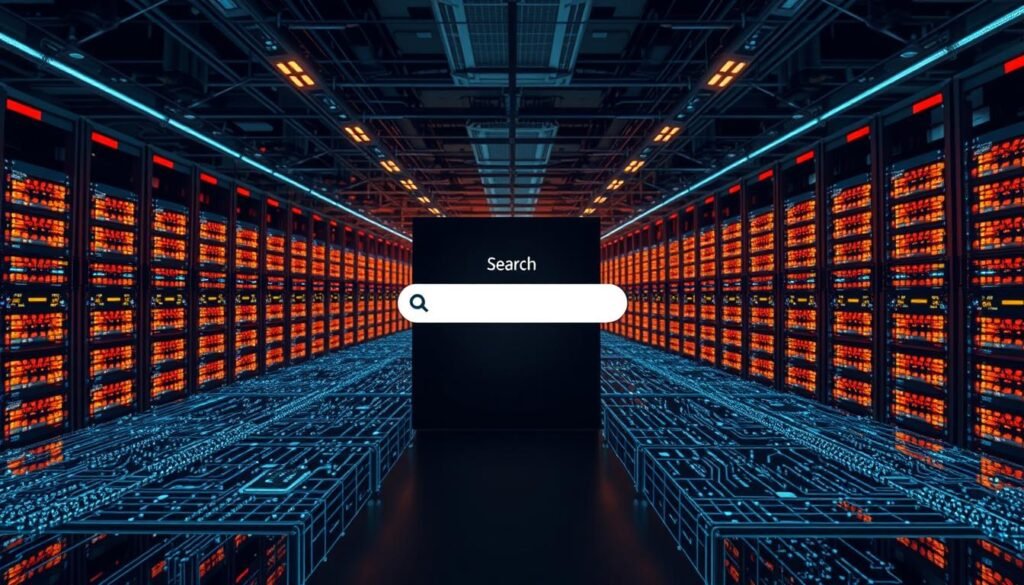
Indexing means the system stores and interprets text, media, and signals to understand a page’s topic. Not every page makes the index; thin or duplicate content is often excluded.
Ranking: relevance, quality, and user experience signals
Ranking orders results by relevance to a query and by quality, authority, and page experience. Core Web Vitals reflect real user experience and can tip close contests.
Present-day realities: mobile-first indexing and fresh content
Google mostly uses the mobile version to index and rank, so mobile parity matters. Its infrastructure also surfaces fresh content faster than before, which helps timely updates.
- Check indexation with the site: operator and inspect rendering with the URL Inspection Tool.
- Ensure CSS/JS aren’t blocked; blocked resources hurt rendering and visibility.
- Prioritize a responsive site, clean links, and useful content for durable optimization.
Why SEO Matters for Businesses and Creators in India
For many small firms in India, organic discovery can become the most reliable channel for steady growth. I focus on how sustainable search traffic builds trust and lowers long-term costs.
Sustainable traffic, brand trust, and cost efficiency
Organic visits compound when you publish useful content and improve pages over time. That reduces reliance on ads and keeps marginal click costs low.
Appearing in trusted positions on search results boosts credibility for service providers, D2C brands, and educational platforms. People prefer results they trust.
Competing with larger sites and reaching regional audiences
Smaller teams can win by targeting long-tail queries, local topics, and niche expertise. Hindi and other regional languages often face less competition and can reach underserved audiences.
- I recommend tracking impressions, clicks, and conversions in Google Search Console and Analytics.
- Set realistic timelines: quick wins may show early, but authority often takes weeks to months.
- Use clear site organization and people-first content to help users find information fast.
| Channel | Short-term cost | Long-term value |
|---|---|---|
| Paid ads | High | Stops when budget ends |
| Organic search | Low (initial effort) | Durable, compounding visits |
| Social media | Variable | Good for awareness, complements search |
Core Types of SEO: On-Page, Off-Page, and Technical
I break core optimization work into three practical areas so you can target effort where it matters most.
On-page: keywords, content quality, and internal links
I define on-page work as editing each page so users and search engines quickly grasp the topic and value.
That includes titles, meta descriptions, headings, alt text, and helpful internal links. Map keyword intent, then place phrases naturally in title tags and body copy.
Off-page: backlinks, PR, and brand mentions
Off-page means earning trust from the wider web via relevant backlinks, PR coverage, and brand mentions.
Focus on high-quality links and avoid spammy link schemes. Digital PR, outreach, and useful resources earn durable signals.
Technical: site architecture, Core Web Vitals, and security
Technical work makes pages crawlable, indexable, and fast. Key items: Core Web Vitals, mobile responsiveness, HTTPS, robots.txt, XML sitemaps, and canonical tags.
Fixing these ensures your content and links are discoverable and deliver a strong user experience.
- I use a simple audit to flag on-page, off-page, and technical priorities.
- Then I track changes with Search Console and Analytics to see which updates moved the needle.
| Area | Key tasks | Quick checks |
|---|---|---|
| On-page | Titles, meta descriptions, headings, alt text, internal links | Unique title per page; headings reflect intent; internal links to depth pages |
| Off-page | Backlinks, PR, brand mentions, outreach | Referring domains quality; avoid paid link networks; monitor mentions |
| Technical | Core Web Vitals, mobile, HTTPS, robots.txt, sitemaps, canonical | Mobile-first rendering; LCP & CLS within thresholds; valid sitemap |
Keyword Research for Beginners: Finding Topics People Search
Start keyword work by thinking like a real reader in your city or industry. I begin with a handful of seed keywords that reflect your core product, service, or subject.
From those seeds I expand into long-tail phrases. Long-tail keyword opportunities often carry clearer intent and face less competition in search results.
Seed keywords, long-tail opportunities, and intent
I read the SERP to infer intent and content format—guide, list, or video—so you create the right asset first. Group related keywords into topics and assign each topic to a single page to avoid cannibalization.
Tools and data: using Google and third-party platforms
Use Google features like autocomplete and People Also Ask plus Google Search Console to find real queries your pages attract. Third-party platforms such as Moz or Ahrefs help estimate volume and difficulty.
- I document targets in a simple spreadsheet: keyword, intent, priority, target URL.
- I check regional modifiers and local language variants for India-specific reach.
- I revisit keyword lists quarterly and adjust based on new data and user behavior.
Creating Helpful, People-First Content
Good content answers the reader’s question fast, then guides them to the next useful step.
I write to help users find reliable information quickly. That means concise intros, clear headings, and short paragraphs that read well on mobile in India.
Write for users, not engines—match queries to answers
I start by answering the exact query in plain language. Then I broaden into subtopics readers will care about next.
This approach boosts the chance your summary appears in search results and earns clicks from people scanning snippets.
Structure with headings, short paragraphs, and media
Use H2/H3 to break a long topic into clear sections. Keep paragraphs to one or two sentences for easier scanning.
Place an image or short video near the text it illustrates and add descriptive alt text for accessibility and discovery.
Keep content updated and original
I publish unique material that shows experience or examples from real projects. Periodic reviews remove outdated screenshots and refresh facts.
Avoid intrusive ads or interstitials that frustrate readers. Add internal links to related pages so users stay on your website longer.
| Practice | Why it matters | Quick check |
|---|---|---|
| Answer first | Improves snippet potential and user satisfaction | Is the main query answered in the first 50–100 words? |
| Media near text | Helps comprehension and image search visibility | Is each image relevant and has descriptive alt text? |
| Regular updates | Maintains accuracy and ranking stability | Do dates and examples reflect current practice? |
On-Page Optimization Essentials
A well-structured page guides both users and crawlers to the most important information.
Title tags and meta descriptions that earn clicks
I write title tags under ~60 characters so the title link appears clean in search results and reflects the primary topic.
Meta descriptions are one- or two-sentence summaries that highlight unique value. They often influence snippets, so include a clear benefit and a call to action.
Descriptive URLs and smart internal linking
Use human-readable URLs with meaningful words. Descriptive paths can show as breadcrumbs and help users trust a website’s structure.
I add internal links with descriptive anchor text to guide users to the next best page and to help discovery across pages.
Accessibility boosts: alt text and clear headings
Write concise alt text for every image so assistive tools and search understand visuals. Headings should outline hierarchy and improve scanability on mobile.
Ensure CSS and JS are fetchable so engines render the same layout users see. Blocked resources hide interactions and reduce clarity.
- Keep titles unique and concise.
- Write meta descriptions that explain value in one sentence.
- Use readable URLs and canonical tags for duplicates.
- Place high-quality images near relevant content with alt text.
- Use clear headings and descriptive internal link text.
| Element | Main purpose | Quick check |
|---|---|---|
| Title tag | Generate the clickable title link | Under ~60 chars; reflects main keyword |
| Meta description | Influence snippet and clicks | One clear sentence; user benefit |
| URL | Show site structure and breadcrumbs | Human-readable; includes meaningful words |
Building Authority with Ethical Link Building
Links from reputable sites act like votes that help your pages appear more often in relevant search results.
I focus on earning editorial backlinks rather than chasing shortcuts that risk penalties from search engines.
High-quality backlinks vs spammy links
Editorial backlinks come from sites that reference your useful content naturally. They boost topical authority and rankings.
Spammy or paid link schemes can trigger manual actions and hurt long-term visibility. I avoid private blog networks and paid links.
Guest posts, digital PR, and broken link opportunities
Guest posting should offer original insights and match the publisher’s audience. Keep the bio transparent and relevant to your website.
Digital PR works when you create newsworthy studies or expert commentary that journalists share. Local stories often gain traction in India.
- Find broken links on relevant pages and suggest your better resource as a replacement.
- Prioritize outreach that offers value: tools, data, or clear how-to content people want to cite.
- Use rel=”nofollow” for untrusted external URLs and user-generated links to protect your site.
- Prefer descriptive anchor text for internal and earned link placement to reinforce topic context.
- Diversify link types—news sites, blogs, directories, and social media mentions—to appear natural.
| Type | Main benefit | Risk |
|---|---|---|
| Editorial link | Strong authority and topical signal | Low if organic |
| Guest post | Targeted exposure and referral traffic | Low if unique and relevant |
| Paid/PBN link | Short-term gain | High—manual penalties possible |
I track link growth and measure shifts in impressions, clicks, and positions in Search Console. That tells me which outreach efforts move the needle.
Technical Foundations That Improve User Experience
Small changes in site performance can change how often search engines show your pages.
I explain Core Web Vitals simply: Largest Contentful Paint (LCP) for loading, INP/FID for interactivity, and Cumulative Layout Shift (CLS) for visual stability. These metrics reflect real user experience and affect visibility.
Practical fixes include optimizing hero images and fonts, deferring noncritical scripts, and reserving space for embeds to stop layout shifts. Test changes with field data and lab tools.
Mobile and crawling basics
Google uses mobile-first indexing, so mobile parity matters. Ensure the same content, CSS, and scripts are available to mobile crawlers.
Robots.txt guides crawlers but is only a hint. Use page-level meta robots (noindex) to prevent indexing reliably. Use rel=”canonical” to consolidate duplicates; prefer a 301 redirect when a page moved permanently.
Include an XML sitemap to surface important URLs and monitor coverage in Search Console. Run rendering tests so Google can fetch CSS/JS and see the page as users do.
| Item | Why it matters | Quick fix |
|---|---|---|
| LCP | Perceived loading speed | Compress images; preload critical assets |
| INP/FID | Responsiveness to input | Defer heavy JS; split long tasks |
| CLS | Visual stability | Reserve size for media; avoid late injections |
| Sitemap & indexing | Discovery and control | Submit sitemap; use noindex for exclusions |
Organizing Your Site: Structure, Breadcrumbs, and Duplicate Content
A clear directory layout helps both visitors and search systems find the right pages faster.
I group similar content into logical directories so related pages share a predictable path. Descriptive URLs double as breadcrumbs in results and boost click confidence.
Logical directories and descriptive URLs as breadcrumbs
Use human-readable paths like /products/tea/green rather than query strings. Parts of the URL can display as breadcrumbs in SERPs and in-site navigation.
- Group frequently updated sections (promotions) separate from static pages (policies) so crawlers learn change frequency.
- Document URL guidelines so new pages follow consistent patterns across the website.
- Keep internal links pointing to the canonical path to avoid mixed signals.
Canonicalization and redirects to reduce duplicates
Identify duplicates caused by parameters, sessions, or CMS quirks and consolidate them. When you can remove alternate access points, use a 301 redirect.
When removal isn’t possible, set rel=”canonical” to declare the preferred page. Reducing duplicates saves crawl budget and raises the share of unique content that gets indexed.
| Task | When to use | Benefit |
|---|---|---|
| 301 redirect | Page permanently moved or duplicate URL removable | Strong consolidation; improves index signals |
| rel=”canonical” | Duplicates must remain live (filters, params) | Declares preferred page without forcing a redirect |
| Breadcrumb structured data | Enhance SERP display | Better click clarity; test periodically |
Images and Videos: Optimize for Discovery and Clarity
When visuals match nearby text, both users and search engines find the page more useful. I recommend placing crisp, scaled images close to the paragraph they illustrate.

High-quality visuals placed near relevant text
Use properly sized images and simple captions so content reads quickly on phones. Small, sharp files look professional and keep users engaged.
Compress images and defer offscreen media to help loading metrics like LCP and CLS. That improves the user experience on slower connections common in India.
Alt text, structured data, and standalone video pages
Write concise alt text that describes the image’s role in the paragraph. Good alt text aids accessibility and helps search engines understand visual content.
For important videos, create a dedicated page with a clear title, a short description, and a transcript. Use structured data (VideoObject, ImageObject) to increase eligibility for rich results.
- Name media files with readable words, not random strings, so file names add context.
- Use captions where they add clarity for users scanning the page.
- Link to image galleries or video hubs so crawlers discover media across pages.
- Pair visuals with step-by-step guides or reviews to boost shareability and time on site.
- Monitor image and video reports to track impressions and clicks from visual search and results.
| Asset | Best practice | Quick benefit |
|---|---|---|
| Image | Proper size, descriptive alt, readable filename | Faster load; better discovery in image results |
| Video | Dedicated page, transcript, VideoObject markup | Higher chance of appearing in video carousels |
| Gallery | Internal links and captions | Improved crawling and user navigation |
Influencing How You Appear in Search Results
I focus on practical steps that help your title links, snippets, and visual assets earn more clicks from people scanning search results. Clear signals on the page guide users and search systems to prefer your site over similar pages.
Crafting title links users want to click
Title links usually derive from the <title> element and prominent headings. I keep titles unique, front-load key words, and write for clarity so users instantly see relevance.
- Place the primary keyword near the start but keep the title natural.
- Limit length to avoid truncation on mobile and desktop.
- Use modifiers (Guide, Checklist, Compare) to set expectation and boost clicks.
Controlling snippets with strong on-page summaries
Snippets often come from the first clear paragraph or the meta description. I write concise opening sentences and a one-line summary that states the page benefit.
Definition boxes, short lists, and labeled summaries increase the chance that search results show your content as a snippet.
Earning SERP features: featured snippets, PAA, images, and videos
Structured answers—numbered steps, short tables, and bolded definitions—help pages appear in featured snippets and People Also Ask panels.
High-quality images placed near explanatory text, with optimized alt text, raise eligibility for image packs. Dedicated video pages with transcripts improve chances for video results.
| Element | Quick tactic | Benefit |
|---|---|---|
| Title tag | Unique, front-loaded words | Better click-through from results |
| Opening summary | Answer in one sentence | Higher snippet potential |
| Structured blocks | Lists, steps, small tables | Featured snippet and PAA visibility |
I audit titles and existing snippets in Search Console, test wording, and measure CTR changes. Small wording shifts often boost clicks without changing rankings.
The New Search Landscape: AI Overviews and Generative Answers
Modern search experiences can show a brief AI-generated summary that combines facts from multiple pages. This often reduces clicks but raises exposure for cited sources.
I explain how these overviews work and how I tune content to increase the chance of being referenced. Generative systems favor clear on-page summaries, precise headings, and factual blocks that machines can parse.
Authority matters. Reputable links, consistent brand presence, and correct citations boost the odds your pages appear in overviews. Structured data and tidy formatting help extract key facts for models.
I recommend covering common subtopics and FAQs on the same page. Short definitions, numbered steps, and small tables often map well to AI answers. Keep information current and transparent so citations remain reliable.
| Signal | Why it matters | Quick action |
|---|---|---|
| Clear summary | Makes content parsable for models | Add a one-line answer near the top |
| Authority | Influences selection for references | Earn editorial links and cite sources |
| Structured data | Helps machines extract facts | Implement relevant schema (FAQ, Article) |
Measuring SEO Performance and Setting Expectations
Start measurement with simple signals so you can tell if recent edits helped your pages.
I use two primary tools to gather actionable information. Google Search Console shows indexing, coverage, queries, and snippets. Analytics tracks engagement and conversions on the website.

Google Search Console, Analytics, and link analysis
I check Search Console for impressions, clicks, and coverage issues. Analytics shows bounce, time on page, and goal completions.
I review links and referring domains to see authority growth. Tag on-page changes so shifts in impressions or conversions can be tied to specific edits.
Timelines: why changes can take weeks to months
Expect volatility. Some updates show effects in hours; many take weeks. New sites and competitive topics need patience.
I track trends, not daily noise, and set tiered goals: visibility, traffic, conversion. Adjust work based on coverage reports, Core Web Vitals, and link quality.
| Measure | Tool | What to watch |
|---|---|---|
| Indexing & Coverage | Search Console | Pages indexed; coverage issues |
| User Behavior | Analytics | Sessions, bounce, conversions |
| Authority | Link analysis | Referring domains; link quality |
| Performance | Core Web Vitals | LCP, INP, CLS thresholds |
Conclusion
Finally, steady improvements to content, structure, and performance build lasting search gains. I recap a simple path from intent to hands-on edits that any founder or student in India can follow.
Focus on helpful, reliable pages, clear organization, and descriptive URLs so a website earns trust from users and search systems. Prioritize mobile-first readiness and Core Web Vitals to improve real user experience.
Build authority ethically with quality resources and PR. Measure changes with Search Console and Analytics, iterate based on data, and allow time for results to appear.
Start this week: apply the checklists, add regional pages, and maintain a steady publishing and internal linking routine. I believe helpfulness, clarity, and persistence lead the web to reward your efforts.