

Schema Markup for Beginners – Structured Data Guide
Have you ever wondered why some search results grab your attention while others fade into the list?
I wrote this guide to make structured data simple for beginners in India and beyond. I will show how schema and markup help search engines read your content and offer richer results like ratings, prices, and event dates.
I explain why Google prefers JSON-LD, which tools to use, and how to test code with Google’s Rich Results Test and other validators. I set clear expectations: adding structured data helps visibility but won’t replace strong content and site authority.
This article is practical and step‑by‑step. You’ll learn types of structured data, formats, tools, and how to pick pages that give the biggest wins for your website or business.
Why I Wrote This How-To Guide on Schema Markup for Beginners
I wrote this guide because too many good pages never show their best side in search results. Machines don’t see visuals the way humans do, so they need clear information to classify content and offer richer listings.
My goal is simple: translate code-heavy steps into plain English so you can add schema markup with confidence. I link technical changes to real outcomes — like aggregated ratings, prices, and availability — while noting Google may or may not show rich results.
I focus on pages that move the needle first: product pages, local business listings, reviews, and articles. I also show exactly where to find Google-supported types so you avoid wasted effort.
- I list easy tools and validation steps to test your work with Google’s tests.
- I give a simple prioritization plan and competitor gap checks you can use today.
- I include India-specific tips for local business consistency and better search visibility.
What Is Schema Markup and How Search Engines Understand Your Content
I want to show how small, structured signals on a page tell search engines exactly what your content means.
In plain terms, schema markup is structured data you add to label the meaning of elements on a page. It tells machines that a number is a rating, a string is a brand name, or a set of lines is an ingredient list.
Schema.org vocabulary in plain English
Think of Schema.org as a shared dictionary. It lists types like Recipe, Product, and Event and the properties each type accepts. When you use those types, search engines read the data consistently across the web.
Rich results vs standard search results
Standard search results show a title, URL, and meta description. Rich results can add ratings, prices, dates, or cooking time. Rich results come from structured data but are not guaranteed.
- Make pages eligible by adding required properties for that type.
- A product page can declare brand, offers, availability, and ratings so engines can surface those details when eligible.
- JSON-LD is the recommended format because it keeps code cleaner and easier to maintain.
Remember: structured data complements good on-page writing, accurate metadata, and a solid site structure. Later I will map common content types to the most specific type for clearer signals.
Schema Markup vs Featured Snippets: What’s the Difference
Different enhanced listings come from different signals. Featured snippets are pulled from your visible text when Google decides it answers a user’s query. Rich results, by contrast, appear when you add structured instructions to a page.

Control of appearance and data extraction
I can control rich results by adding schema markup to specify properties like aggregateRating, price, or eventDate. That makes a page eligible for google rich results and often changes how the listing looks in search.
Featured snippets don’t need structured data. Google extracts the snippet from page text and may place it above the first organic result or in “People also ask.” That format often shows a short answer, list, or table.
- Placement: featured snippets often appear at position 0; rich results sit inside standard listings with extra elements.
- UX: rich results display ratings, prices, and dates; snippets show concise answers or steps.
- Eligibility: structured data → eligibility for rich results; clear, high‑quality answers → potential featured snippet.
| Type | Control | Typical Display |
|---|---|---|
| Featured snippet | Google chooses text | Answer box at top |
| Rich result | You define properties | Enhanced listing with extras |
I recommend doing both: add structured data for eligibility and write clear, concise answers on the page to target featured snippets. Track impressions and CTR to measure which format lifts your traffic. Neither is guaranteed; relevance and clarity still win.
SEO Benefits of Structured Data and Rich Results
Clear structuring of page details can turn a plain listing into a result that attracts clicks. I focus on three practical gains: visibility and CTR, better user experience, and building linked content for AI.
Improved visibility and higher CTR
When search results show ratings, prices, or dates, those enhanced elements draw the eye. I have seen listings with rich results earn higher click-through rates than plain links.
For example, adding Product + Offer + AggregateRating for an in-stock item can surface price and review count. That visible number often persuades users to click your result first.
Better user experience and reduced bounce
Surfacing price, availability, or review counts helps users decide before they click. This pre-click clarity reduces pogo-sticking and improves session quality on your website.
Building a content knowledge graph for AI
Connected entities — brand, product, author, organization — form a small knowledge graph. I use consistent entries across pages so search engines understand relationships and AI can ground answers with factual data.
- I tie structured data to visibility: enhanced elements attract attention and lift CTR.
- I warn: your implementation must match on-page information; inaccurate entries risk losing eligibility.
- I recommend tracking before/after metrics to measure CTR and impressions on product, article, and review pages.
| Benefit | What to track | Typical gain |
|---|---|---|
| Visibility | Impressions, rich result appearances | More queries with enhanced details |
| CTR | Click-through rate by page | Higher clicks vs plain results |
| UX | Bounce rate, time on page | Lower bounce, better engagement |
Structured data is a force multiplier for good content — it improves how engines understand pages, but it never replaces clear writing and accurate information. I use it to scale benefits across templates and keep results consistent for users in India and beyond.
Common Types of Schema Markup I Recommend Starting With
Begin by choosing types that match your traffic goals and page templates. I recommend starting with a short list of high-impact entries that map to your most visited pages.
Organization and Local Business
I prioritize Organization and LocalBusiness to lock down brand identity. Add logo, name, address, phone, and sameAs links so your business shows consistent details across the web.
Product, Merchant listings, and Review snippets
- I use Product + Offer + AggregateRating for ecommerce to surface price, availability, and stars.
- Merchant listing differs from editorial product snippets; choose the type that fits whether the page sells or reviews.
- Add Review only when reviews are real and follow Google rules to avoid penalties.
Article and News content
For blogs and newsrooms, I use Article or NewsArticle. Include headline, author, datePublished, and image to improve eligibility for enhanced displays.
Events, Recipes, and Media objects
Mark Events with startDate and location. Add Recipe fields like ingredients and cookTime. Use MediaObject (ImageObject/VideoObject) to describe duration, thumbnailUrl, and description.
| Type | Best for | Key properties | Quick win |
|---|---|---|---|
| Organization | Company homepages | name, logo, sameAs, url | Better brand panels |
| LocalBusiness | Store pages, locations | name, address, telephone, openingHours | “Near me” visibility |
| Product + Offer | Product pages | price, availability, sku, aggregateRating | Price and rating snippets |
| Article / NewsArticle | Blogs, press | headline, author, datePublished, image | Enhanced article cards |
Start by mapping your top templates to the most specific type. A page can use multiple entries when they reflect on-page content, like a product page with an embedded VideoObject review.
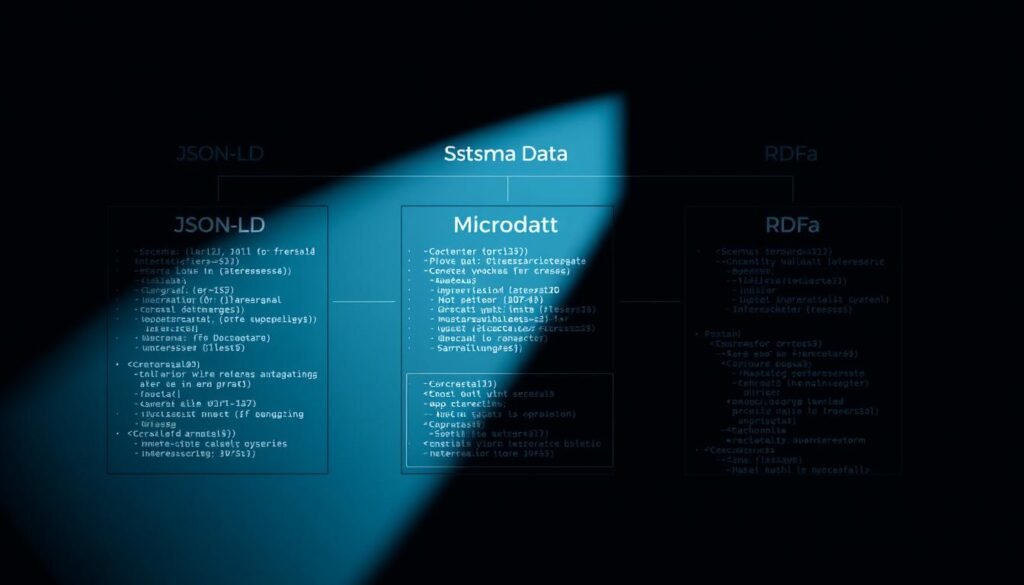
Schema Markup Formats Explained: JSON-LD, Microdata, and RDFa
A page’s structured data format shapes how easy it is to update and how often errors appear. I prefer solutions that stay clear of the visible HTML and speed debugging across many pages.
Why I prefer JSON-LD for clean, flexible code
JSON-LD lives inside a script tag. That keeps page HTML uncluttered and makes it simple to update from a CMS or template. Google explicitly recommends JSON-LD when possible.
It also reduces errors and eases validation. I place JSON-LD in the head or body so it matches the visible page information.
When Microdata or RDFa may still make sense
Microdata and RDFa embed attributes in HTML elements. That can be useful for tight component-level annotations or legacy templates that cannot inject scripts.
But embedding increases coupling and the chance of mistakes during content edits. Mixing formats on the same entity is risky; I avoid it.
- All three formats can describe the same types (Person, Product) and properties.
- Validate after each change to catch structural errors early.
| Format | Placement | Pros | Cons |
|---|---|---|---|
| JSON-LD | Script in head/body | Clean HTML, easy updates | Needs script injection support |
| Microdata | Inline attributes | Works without scripts | Tightly coupled, error-prone |
| RDFa | Inline attributes | Flexible vocabularies | Complex to maintain |
How I Add Schema Markup Step by Step
My process starts with confirming which rich results Google supports for each page type. I open Google’s Search Gallery and pick the most specific type that matches the page intent.
Next, I use Google’s Structured Data Markup Helper to tag visible fields (name, author, price). The helper exports JSON-LD or microdata code ready to paste.
I paste the JSON-LD into the page head or a CMS field. On WordPress I often use Yoast, Rank Math, or Schema Pro plugins to inject the code so it stays synced with content.
- I run the page URL through Google’s Rich Results Test to find errors and warnings.
- I fix issues in the code and on the visible page so both match, then re-test until the test shows no critical errors.
- I document required properties per type and store versioned JSON-LD snippets for fast rollouts.
| Step | Action | Outcome |
|---|---|---|
| Discover | Search Gallery | Supported result types |
| Generate | Markup Helper | JSON-LD example |
| Insert | CMS or head | Live code on site |
| Validate | Rich Results Test | Errors fixed, eligibility checked |
Tools I Use to Test, Validate, and Monitor Markup
A focused toolkit helps me validate code, check eligibility, and run site‑wide sweeps fast. I rely on a mix of single‑page checks and automated audits to keep pages eligible for enhanced results and to spot recurring errors early.
Google Rich Results Test and Schema Markup Validator
I validate eligibility with Google’s Rich Results Test by entering a URL or pasted JSON-LD. This catches issues that block supported result types before a page goes live.
I also use the Schema Markup Validator to inspect every detected entity and property. That tool shows full structured data output, not just eligibility, so I can find mismatches between visible content and underlying data.
Sitewide audits with Semrush Site Audit
For scale, I run periodic Semrush Site Audits. The Markup section gives a score, lists invalid items, and highlights affected fields so I can prioritize fixes across many pages.
- I compare before/after eligibility and impressions to measure impact on results.
- I log recurring errors, like missing required properties, and fix templates rather than single pages.
- I retest after deployments, CMS updates, or design changes to ensure the website stays clean.
- I keep a changelog of updates to correlate changes in results appearance and impressions.
Prioritizing Pages and Schema Types for Quick Wins
I focus on quick wins: pages where small data changes lift visibility fast. Start from Google’s Search Gallery and the actual SERPs for your core keywords. That shows which enhanced results appear for queries you care about.

Match schema to search intent and page purpose
I map each page purpose to a specific type that clearly communicates intent. For transactional queries I pick Product with Offer. For informational queries I choose Article or FAQ entries.
Focus on products, reviews, articles, and local pages
- I prioritize templates tied to high‑intent queries: product pages for purchase intent, local pages for “near me,” and articles for research queries.
- I scan competitor results to see which enhanced snippets show and match those types where appropriate.
- I target required and recommended properties first to maximize eligibility from day one.
- Rollout starts on top‑traffic pages and templates so gains scale quickly.
- I use analytics to find high impressions but low CTR pages, then add data to improve clarity in results.
| Page type | Primary goal | Quick win |
|---|---|---|
| Product | Purchase intent | Show price, availability, rating |
| Local | Near‑me queries | Open hours, address, phone |
| Article | Informational intent | Headline, author, date |
Competitor Gap Analysis: Find What to Add and What to Skip
I start competitor gap checks by testing top rivals for the queries I care about. I enter their URLs into Google’s Rich Results Test to see which rich features they are eligible for. That quick check shows whether their pages actually qualify for enhanced results.
Check eligibility and actual use of rich results
Next, I inspect full structured data with the Schema Markup Validator to reveal every entry on a page. This tool helps me spot overuse, irrelevant types, or missing required properties that competitors include.
- I shortlist top competitors and run a rich results test on each competitor url.
- I map the types they use and note which align with visible page information, avoiding mismatched entries.
- I flag opportunities — for example, if no one uses FAQ where it fits, I add it as a low-effort win.
| Check | Competitor | Action for my site |
|---|---|---|
| Eligibility | Product + Rating | Add required properties to match |
| Overuse | Multiple unrelated types | Skip irrelevant entries |
| Gap | No FAQ / How-to | Consider adding to gain SERP real estate |
I document patterns competitors consistently include, like aggregateRating. Then I compare my eligibility footprint and prioritise fixes where I lag on high-value templates. I retest quarterly to keep pace with shifting tactics and search engines’ features.
Implementing Schema on WordPress and Other CMSs
A practical CMS plan balances plugin convenience with occasional custom code to cover complex pages. I use plugins to ship consistent details quickly and add manual JSON-LD when I need full control.
Plugins like Yoast, Rank Math, and Schema Pro
I configure Yoast or Rank Math to output foundational site entries such as Organization and default Article. Schema Pro is useful for richer templates and mapping custom fields from a CMS.
Limits of plugins vs custom JSON-LD
Plugins speed deployment but may not support every property or relationship. When a product page needs complex offers or nested objects, I add custom JSON-LD code blocks.
- I keep JSON-LD separate so I can update code without changing page HTML.
- I ensure plugin-generated details match the visible website and external profiles.
- I validate every change in Google’s Rich Results Test and fix errors, then retest a sample url.
| Task | Plugin | Custom code |
|---|---|---|
| Organization + logo | Good | Not required |
| Complex offers | Limited | Preferred |
| Sitewide consistency | Easy | Manual upkeep |
Product and Review Markup: Editorial vs Merchant Pages
Editorial reviews and merchant product pages serve different users and must use distinct data types. I treat review articles as evaluations with pros, cons, and a clear author voice. Retail pages need offers, priceCurrency, availability, and return details so buyers see accurate info.

Use aggregateRating only when real reviews appear on the page. I never add ratings that aren’t visible to users. Mislabeling an editorial review as a sellable product can trigger warnings from search engines.
Pros, cons, availability, price, and returns
I add Offer fields for merchant pages: price, priceCurrency, availability (InStock), shipping, and returns. For editorial reviews I include reviewRating, author, and a short pros/cons block when supported.
- I match star counts and reviewCount to visible content.
- I map multiple sellers carefully on aggregator pages to avoid conflicting offers.
- I validate eligibility and fix recommended fields to improve rich results potential.
| Page type | Best properties | Risk if misused |
|---|---|---|
| Editorial review | reviewRating, author, prosCons | Appearing as a merchant listing |
| Merchant product | price, priceCurrency, availability, returns | Policy violations, loss of eligibility |
| Aggregator | multiple Offer entries, seller | Conflicting offer data |
Local Business Schema for India: Make Your Pages Stand Out
A clear local presence in search starts with matching on‑page details to the data you publish. I make sure each local business page shows the exact name, phone, and address I publish elsewhere.
Consistency with Google Business Profile and NAP
I align LocalBusiness entries with my Google Business Profile so NAP (name, address, phone) is identical everywhere. This boosts local signals and helps my business appear correctly in search results.
I also add sameAs links to Maps and official social profiles so the organization graph links back to verified sources.
Hours, payment methods, and location details
On every page I include openingHours, paymentAccepted (UPI, cards, wallets), and geo coordinates. I show holiday hours on the page and update them quickly when they change.
- I use the most specific subtype (Restaurant, Clinic, FinancialService) for relevance.
- I include full postal address and latitude/longitude to strengthen location signals.
- I test a sample of local pages in Google’s Rich Results Test to confirm clean implementation.
| Field | Why it matters | Tip |
|---|---|---|
| openingHours | Shows availability in results | Keep holiday hours current |
| paymentAccepted | Sets user expectations | List UPI, major cards, wallets |
| geo / address | Improves local relevance | Include exact coordinates |
Finally, I ensure the visible page matches the declared data. When on‑page information and the structured entries agree, the chance of rich business details appearing in search goes up.
Schema Markup: Best Practices and Common Errors I See
I see the same avoidable problems on many sites that block rich results and cause manual flags. Small fixes prevent lost visibility and reduce rework across pages.
Use the most specific types and keep data fresh
I always pick the most specific subtype available. For example, choose Restaurant over LocalBusiness when it fits.
Keep dynamic fields like price and openingHours updated and re-run the Rich Results test after changes.
Align markup with on-page content and external listings
Match the JSON-LD to visible content and your Google Business Profile. Discrepancies can trigger warnings or loss of eligibility.
- Do not mark up content that isn’t on the page.
- Centralize template properties so fixes apply site-wide.
- Validate regularly and resolve errors and warnings.
| Common error | Impact | Quick fix |
|---|---|---|
| Generic type used | Lower relevance in results | Use specific subtype |
| Mismatched values | Warnings or manual action | Sync visible content and data |
| Missing required fields | Not eligible for enhanced results | Add required and recommended properties |
| Duplicate or conflicting entities | Confusing signals for engines | Keep structured data lean and unique |
Conclusion
In summary, adding precise page data helps your site compete for richer listings and clicks. Proper schema markup clarifies content for machines, raises eligibility for enhanced search results, and links entities for AI to use.
I recommend JSON-LD for clean, maintainable implementations and testing with Google’s Rich Results Test and Semrush Site Audit. My workflow is simple: pick a supported type, generate JSON-LD, add it to the page, and validate.
Prioritize product, review, article, and local business templates first. Track simple metrics like CTR and impressions, keep entries synced with visible content, and remember that eligibility does not guarantee display.
Start template by template, measure lifts, and return to this guide as a practical reference for future schema decisions and updates.