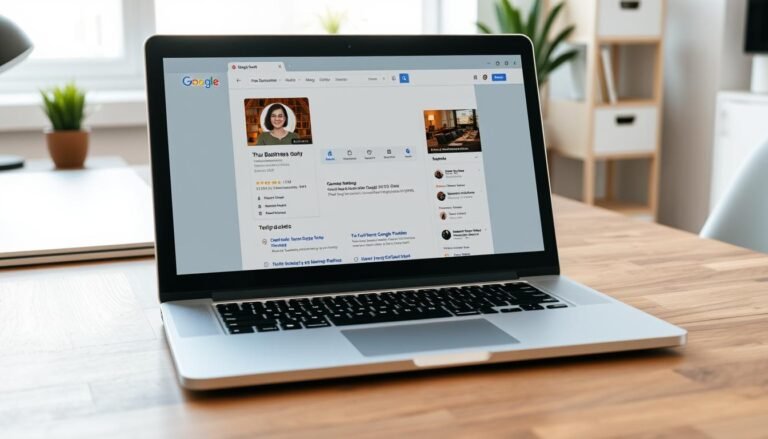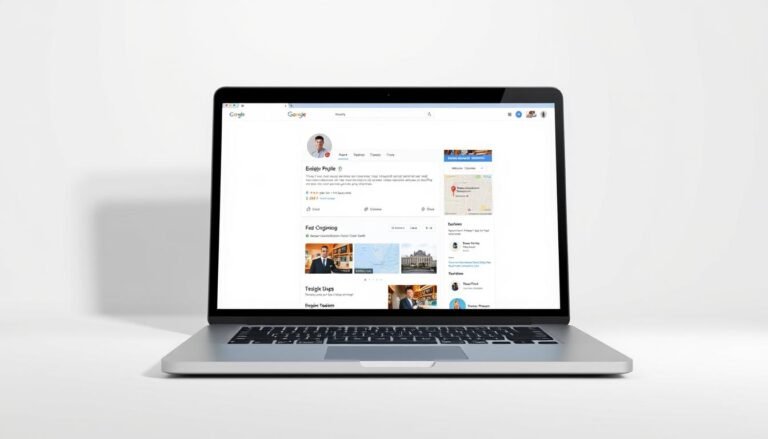
Google Business Profile SEO Checklist 2026
Can a single, well-built listing change how customers find my shop in Mumbai or Pune?
I will walk you through a practical plan to claim, verify, and maintain a Google Business presence that drives real discovery in search and Maps. My focus is not just higher ranking but clearer paths for customers to call, message, book, or visit.
I cover eligibility, verification options (and India-specific issues like postcard delays), safe access control, and core fields—name, address, phone, hours and categories. I also explain photos, products, services, reviews, Posts, Q&A, and tracking with UTM tags to measure impact.
By following this checklist, I expect better local search visibility and measurable results using Insights, GA4, and Google Search Console. This is my operating model to keep each business listing accurate and trusted, so customers find what they need fast.
Why this Google Business Profile checklist matters for local search in India right now
When someone in my city searches for a service, my profile must deliver the right answer fast. A clear google business presence raises the chances that customers choose my business over others. Proximity and category signals play a big role in who shows up for nearby queries.
My goals: visibility in Google Search, Maps, and Assistant
I aim to appear in top local results on google search and Google Maps, and to be eligible for voice queries on Assistant. I measure impact with insights and data so I can spot Direct versus Discovery demand.
User intent and how I’ll meet it with a practical checklist
- Complete core fields, accurate hours, and strong visuals to boost engagement.
- Prioritize tap-to-call, clear directions, and booking links for mobile users.
- Use geogrid tools (BrightLocal, Local Falcon) to map neighborhood coverage and set realistic expectations about location reach.
- Keep a steady cadence of photos, Posts, and updates so my listing stays relevant.
Confirm eligibility and business type before I start
I must confirm my business meets Google’s rules before I claim a listing. A qualifying business serves customers face-to-face during stated hours, either at my storefront or at customers’ locations.
Storefront or mobile service: pick the correct model
If I receive walk-in visitors, I set the profile as a storefront. If I travel to clients, I use a service-area setup and clear the public address.
I avoid mixing types unless I truly operate both. Service-area businesses should define up to 20 cities or pincodes; realistic reach often falls near ~20 miles for ranking.
Seasonal openings, authorized reps, and verification risks
Seasonal businesses are eligible if permanent signage exists. New openings within 90 days can use the “opening soon” flow.
Only I or an authorized representative should claim the google business profile. Misrepresentation can cause suspension and block verification.

| Business type | Eligibility | Address handling | Verification note |
|---|---|---|---|
| Storefront | Must serve customers on-site | Street address, suite on line two | Postcard or phone possible |
| Service-area | Visits customers at their location | Clear public address if no walk-ins | Set up to 20 service cities/pincodes |
| Seasonal / Opening | Allowed with permanent signage | Use opening-soon option if within 90 days | Prepare documents for faster verification |
I prepare accurate name, phone number, and supporting documents before I start. Clear information reduces verification delays and keeps my listing compliant on google maps and search for local customers.
Claim, create, and verify my listing without risking suspension
My first step is to locate any existing profile on Google Search or Google Maps and decide whether to claim it or create a new listing.
If a profile exists I click “Own this business?” or “Claim this business.” If it shows an owner, I submit Request Access and monitor the 7‑day response window. If I get no reply or a denial, I gather proof and escalate to support.
Verification paths I can expect
- Postcard: default method, usually up to 14 days; I avoid editing core fields until it arrives.
- Phone or email: offered sometimes; use the listed phone number or business-domain email for trust.
- Instant via Search Console: possible if my account and verified site match.
- Video chat or live walkthrough: show signage, workspace, tools, team area, and vehicles.
- Bulk verification: for 10+ locations; otherwise track each location’s status carefully.
| Method | When used | Tip for India |
|---|---|---|
| Postcard | Default | Confirm address precision and accessible postal delivery |
| Phone/Email | Account-dependent | Use business-domain email and live phone |
| Search Console | Site ownership matched | Verify site URL before requesting |
| Video/Bulk | High-risk or many locations | Prepare clear footage and documentation |
I record all verification data and communication. I avoid keyword stuffing in the business name and keep edits minimal during verification. That protects my listing and shortens the path to live results.
Set up safe user access and location groups to protect my asset
Managing access carefully keeps my business presence secure as it grows across cities. I start by naming the business entity as Primary Owner so agencies or freelancers never lock me out.
Role definitions and what they can do
I assign roles from the Users panel and invite people by email. Roles are:
- Primary Owner — full permissions; cannot be removed until I transfer ownership.
- Owner — full access including user management and deletion rights.
- Manager — almost full access but cannot manage users or delete the listing.
- Site Manager — limited edits, Posts, photos, reviews, and Insights view only.
Using Location Groups for multi-location governance
I group locations by city or region to manage access at scale. Location Groups let me grant team members rights across many listings at once. I keep a master sheet with group names, assigned roles, invite dates, and reviewer cadence.
| Task | Why it matters | How I do it |
|---|---|---|
| Primary ownership | Prevents agency lock-in | Business entity account holds the role |
| Access reviews | Limits stale permissions | Quarterly audit, remove former vendors |
| Invite checks | Reduce failed invites | Verify email and phone before sending |

Core optimization: NAP, categories, hours, and URLs that track performance
I focus this section on the exact profile fields that directly affect local discovery and conversions.
NAP consistency and address/service-area setup that actually ranks
I lock my business name to match signage and legal documents. I do not add city or keyword modifiers.
I format the address to postal standards and put suite numbers on line two. If I don’t receive visitors, I clear the address and define up to 20 service locations to avoid pin errors.
Choose primary and secondary categories like top competitors
I pick a primary category that best defines my core services and then add relevant secondary categories after auditing local rivals. This helps my listing surface in the right searches.
Business hours and special hours to win after-hours searches
I keep hours accurate and add special hours for festivals and holidays. Extended or 24-hour schedules can improve visibility for late searches.
Primary, appointment, and menu links with UTM parameters
I use UTM tags on my website, appointment, and menu links: source=google, medium=organic, campaign=gmb or gmb[ID], content=primary/appointment/menu. Menu links point to HTML pages, not PDFs.
- I use a local phone number that matches my website to build trust and call-throughs.
- I track before/after performance in Insights and GA4 to measure optimization and ranking gains.
| Field | Why it matters | Action |
|---|---|---|
| Name & NAP | Trust & consistency | Match signage; suite on line two |
| Categories | Ranking signal | Primary + audited secondary choices |
| Hours & Links | Availability + attribution | Accurate hours; UTM-tagged links |
Build out services, products, menus, attributes, and my description
I treat the services and product areas as mini landing pages that guide customers to convert. I list clear service names, prices, and short descriptions so people understand value fast. This approach improves ranking signals and purchase intent for my business.

Services and product collections customers can act on
I add service sections that match my categories and include fixed prices and 500–1,000 character descriptions. For products, I create collections and list must-carry items first so customers can buy quickly. For restaurants I mirror menu sections and item prices inside the listing.
Attributes that influence decisions and visibility
I select business-defined attributes like Wheelchair Accessible, Women Owned, and languages spoken. I also watch user-defined attributes in Insights to see what customers report about my place and adjust information accordingly.
Write a high-converting 750-character business description
I front-load benefits and social proof into the first ~244 characters so the most important points show before “More.” I use natural keywords and keep the tone true to my name and brand. I update this content quarterly and support it with photos that match services and products.
- Create sections with clear names, prices, and short benefit-led copy.
- Prioritise products and menu items to reduce clicks and increase conversions.
- Choose attributes that improve local seo and help customers decide.
| Type | Example | Primary benefit |
|---|---|---|
| Service | Interior Painting ₹8,999 | Transparent pricing |
| Product | Wooden Dining Set ₹24,500 | Must-have item visible |
| Menu | Butter Chicken ₹299 | Decide without extra clicks |
Master reviews, Q&A, messaging, and Google Posts to boost engagement
Reviews and timely replies turn casual lookers into real customers in my city. Positive review volume and a strong average rating lift my chances in the Local 3‑Pack and improve conversion rates.
Get, respond to, and showcase reviews (and spot 3rd‑party reviews)
I set review goals by comparing competitor medians and aim to keep a 4.5+ rating for better results. I use tools like BrightLocal or Podium to automate compliant review requests via email and SMS.
I reply to every review with empathy, include my name, and note specifics. For spam or policy violations I escalate removal requests to support.
I also scan “Reviews from the web” so third‑party sites reflect my business accurately and fix discrepancies that hurt credibility.
Pre-populate Q&A and monitor customer questions
I seed the Q&A with top customer queries: pricing, parking, delivery areas, languages, and payment modes. Short, clear answers reduce friction and stop wrong info from spreading.
I check new questions frequently so I don’t miss leads.
Enable messaging and use Posts for offers, events, and updates
I enable messaging, set response hours, and create quick replies for common phone and chat questions. This improves customer trust and lowers missed-contact rates.
I publish Posts for offers and events and add UTM tags to links to measure impact in Insights. I include photos with Posts to boost click-throughs for Indian mobile users.
| Action | Why it matters | How I measure |
|---|---|---|
| Review volume & rating | Drives search visibility | Competitor comparison, Insights |
| Q&A seeding | Reduces wrong expectations | Monitor new questions weekly |
| Posts & messaging | Direct engagement & offers | Post interactions, message volume |
Media that moves the needle: photos, videos, and virtual tours
A purposeful mix of media makes my business feel known and trustworthy. I use photos and short vertical videos to show real people, my space, and core services so customers decide faster.
I assemble a baseline set: 1 logo, 1 cover, 3 team shots, 3 interior images, 3 exterior images, and 3 product or service photos. Regular uploads are a tracked activity metric and help my listing stay fresh for local seo.
Ongoing cadence and content rules
- I add new photos or short videos monthly to reflect seasonality and offers.
- I keep lighting and framing consistent and avoid heavy filters or watermarks.
- I capture culturally relevant details for India—parking, festive decor, accessibility—so customers see practical cues.
- I consider a 360° virtual tour for storefronts to increase visit intent and reduce uncertainty.

| Asset | Count | Why it matters | Action |
|---|---|---|---|
| Logo / Cover | 1 each | Brand recognition | Upload PNG, keep clear |
| Team / Interiors / Exteriors | 3 each | Trust & context | Monthly refresh, consistent framing |
| Product / Service photos | 3+ | Decision drivers | Show pricing or setup, short vertical clips |
My website, LocalBusiness schema, and CRO essentials for higher conversions
I tie each listing to a fast, secure landing page so visitors find the right service and convert. For multi-location businesses I point each profile to its dedicated location page and use UTM parameters for clear attribution in GA4.
I add LocalBusiness schema with exact NAP, hours, and sameAs links to my social media profiles. I validate markup with a schema validator to reduce errors and help search engines read my business data.
Above the fold I embed clear CTAs: call, WhatsApp, and book. I keep my local phone number visible and sticky on mobile, add click-to-call with tracking, and preserve the primary number on site and profile.
- Map profile to a secure HTTPS location/category page that mirrors services and categories.
- Display social proof near CTAs: testimonials, star ratings, and trust badges.
- Measure calls, forms, and bookings with UTM-tagged links and GA4 events.
| Action | Why it matters | How I check |
|---|---|---|
| LocalBusiness schema | Clear business data | Validate markup, fix errors |
| Landing page mapping | Relevance & ranking lift | Compare categories, mirror content |
| CRO elements | Higher conversions | Audit mobile & desktop, test CTAs |
gmb seo checklist: my repeatable audit and monitoring routine
Each month I treat my listing like a living asset that needs checks, updates, and evidence. I run a focused audit to spot title spam, category drift, and verification risk so my business stays visible in local search.
Competitor and proximity audits to guide categories and titles
I identify top competitors from page-one search results in my target neighbourhoods, noting distance, primary and secondary categories, and whether names include keyword stuffing. I report title spam and submit suggested edits when I see rule violations.
Insights, GA/UTM, GSC queries, and geogrid tracking
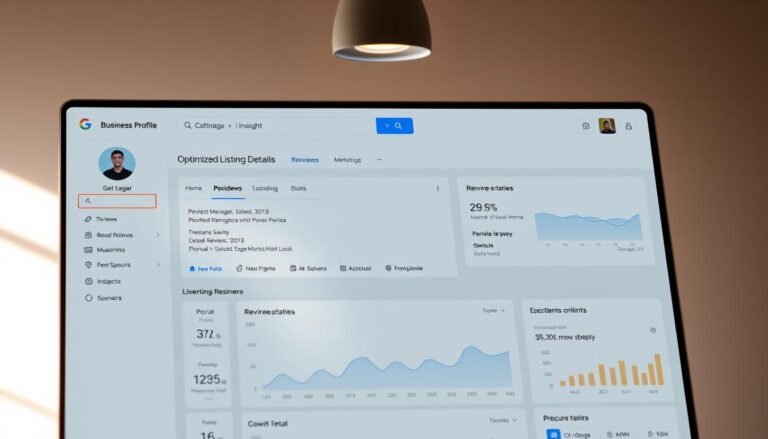
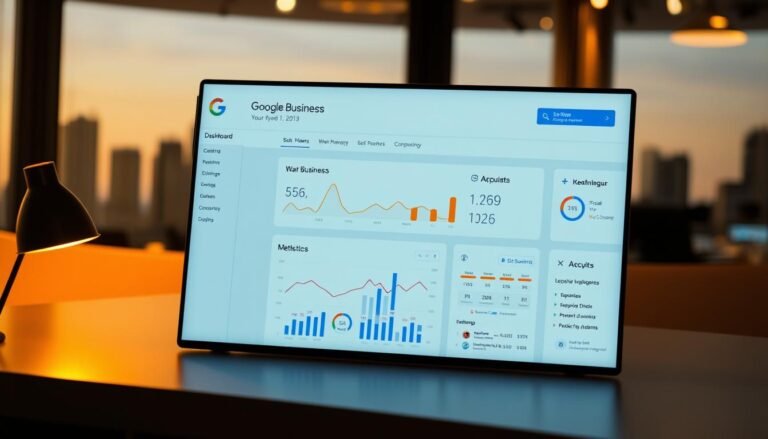
I review insights monthly for views, discovery versus direct searches, and actions. I connect UTM-tagged links to GA4 and match queries in GSC to find new keywords and content gaps. I use Phantom to inspect categories and BrightLocal plus Local Falcon to map geogrids and local rankings on google maps.
Monthly maintenance: hours, posts, media, attributes, and support
- Confirm hours and special hours, and update as needed.
- Publish at least one Post, upload fresh photos, and refresh attributes.
- Monitor Q&A, reply to reviews, and log rating trends.
- Document changes, track results, and keep a support playbook for verification or ownership disputes.
| Task | Why | How |
|---|---|---|
| Competitor audit | Category & title guidance | Page-one checks, proximity, category tool |
| Performance review | Attribution | Insights + GA4 + GSC + geogrid |
| Maintenance | Freshness & trust | Hours, Posts, media, attributes |
Conclusion
A steady monthly routine is the difference between a listing that drifts and one that drives customers.
I recap my playbook: confirm eligibility, claim and verify, secure access, optimise core fields, add a full description, attributes, and keep uploading photos and Posts so the profile stays fresh.
I make sure my NAP, hours, categories, and website links use UTM tags so I can connect visibility to real results in search and search results pages.
I make sure I pursue reviews regularly, reply thoughtfully, seed Q&A, and use messaging to turn views into calls and visits.
I make sure schema, citations, competitor audits, monthly media updates, and governance are all documented as part of this checklist. I commit to this rhythm so my google business listing compounds performance across Indian locations.