
Blog Post Outline Examples for SEO
Have you ever wondered why some content ranks on page one while other articles barely get readers?
I tested many ways to craft a post outline and built a flexible formula that marries SEO tools with real reader needs.
I use a brief first — target keywords, search intent, audience, tone and must-have elements — then turn that into a clear H1-to-H3 structure.
My process blends Ahrefs for volume, SurferSEO for clusters, and AI for speed, without letting automation replace human judgment.
A strong outline saves time and keeps the article coherent from headline to conclusion. It helps writers map sections, pick a unique angle, and aim for snippets or LLM references.
In this guide I’ll share templates, examples, and a step-by-step approach so you can write faster and publish work that serves both readers and search engines.
Why Outlining Your Blog Posts Matters Right Now
A clear structure turns scattered ideas into content that ranks and retains readers.
I rely on outlines because they improve readability and cohesion. When headings and short sections guide the reader, time-on-page rises and search engines notice better engagement metrics.
Readability, cohesion, and time-on-page
Simple headings and bite-sized paragraphs help a reader scan and stay. That boosts signals like session duration and reduces bounce rates, which matters for SEO.
Faster drafts, fewer rewrites
Outlines align writers and editors on flow, examples, and evidence up front. Teams at HubSpot and Buffer use this to cut drafting time and scale quality.
AI overviews and zero-click shifts
Search now favors crisp answers that LLMs and AI Overviews can cite. A tight plan lets me place definitions, bullets, and data where algorithms and people find them fast.
- I map core questions to sections so the final article answers intent clearly.
- I pre-plan internal links and CTAs so they feel natural to the reader.
A Content Brief vs. a blog post outline
Good briefs stop guesswork; they tell a writer what to solve and why it matters to readers.
I treat the brief as strategy. It lists target keywords, search intent, audience persona, goals, and brand tone. It also names must-haves: internal links, CTAs, and editorial limits. That gives every team member clarity before writing begins.
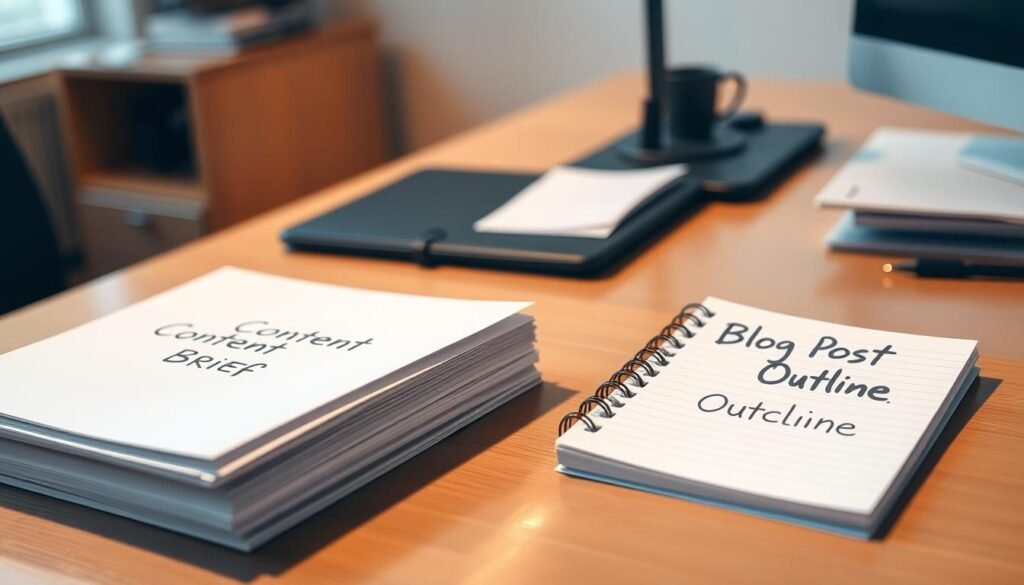
Brief = strategy; outline = execution
The outline translates the brief into a clear structure. It maps H1–H3 headings, bullet points, examples, and stats. It adds notes for visuals, EEAT cues, and product embeds so the article reads like a finished piece.
What I include in each to keep writers and readers aligned
- Brief: target keywords, intent, audience, goals, tone, and required links/CTAs.
- Outline: ordered headings, evidence, examples, visual cues, and editing notes.
- Review loop: approve brief first, then the outline to avoid rewrites.
| Element | Content Brief | Writing Outline |
|---|---|---|
| Purpose | Define what and why | Show how to write |
| Includes | Keywords, persona, goals, CTAs | H1–H3 structure, bullets, stats, visuals |
| Owner | Strategist or SEO lead | Writer or editor |
| Outcome | Aligned brief for consistent decisions | Faster drafts and fewer rewrites |
Clarify Topic, Search Intent, and Reader Goals
Before writing, I map the top results to see whether readers want a how-to, a template, or a quick definition. A short SERP scan shows the dominant format and saves time on rewrites.
I use People Also Ask to capture exact questions that belong as dedicated H3s. Those questions often become the steps, examples, or FAQs that readers expect.
Use SERP reviews and PAA to guide sections
I run quick checks in Ahrefs for traffic potential and grab PAA queries to cluster related questions. This tells me which sub-intents—like examples or templates—need their own section.
Align with informational how-to intent
My structure: clear definition, actionable steps, then concrete examples. I add a short “who this is for” note so readers know the goal up front.
| SERP Signal | Tool | Action |
|---|---|---|
| How-to pages dominate | Ahrefs | Prioritize step-by-step sections and templates |
| Templates & examples appear | Surfer | Include ready-to-use examples and downloadable formats |
| Definition-led results | PAA | Lead with a crisp definition and FAQ |
Research the Topic and Keywords the Smart Way
I begin keyword research with a quick sanity check to avoid chasing low-return topics. This saves time and stops scope creep before drafting starts.
Seed terms, clusters, and related queries with Ahrefs and Surfer
I use Ahrefs Keywords Explorer to check search volume, KD, CPC, and Traffic Potential. Then I scan “Matching terms” and “Also rank for” to find variants that match intent.
Traffic potential, difficulty, and viability checks before drafting
Focus on terms with realistic KD for your site. If Traffic Potential is high but KD is out of reach, narrow the topic. If volume is low, broaden the seed.
Mapping secondary terms to H2/H3s for semantic coverage
In SurferSEO I pull clusters and semantic terms, then assign them to specific H2s and H3s. This prevents keyword stuffing and boosts topical depth.
- Save a keyword inventory inside the outline for writers and internal links.
- Prioritize definition and steps first, examples and templates second.
- Check SERP features (PAA, images, AIO) to decide media and section design.
| Metric | Tool | Action |
|---|---|---|
| Volume & KD | Ahrefs | Sanity-check viability |
| Clusters & Terms | SurferSEO | Map to H2/H3 |
| SERP Features | Manual SERP | Adjust sections/media |
Analyze Competing Posts and Find the Gaps
I scan top-ranking articles to spot repeating section patterns and the ideas they miss.
Using Surfer’s Content Editor or a manual SERP review, I extract common H2 and H3 patterns. I note which pages use step lists, FAQs, or templates. Then I map which angles rarely appear—AI-first workflows, micro-interviews, or local examples for India.
Extract common H2/H3 patterns and missed angles
I collect headings from the top five pages and cluster them by theme. This reveals what readers already get and where an extra example or case study would add value.
Benchmark content length, bullet points, visuals, and product embeds
Beyond word counts, I count images, tables, bullets, and product mentions. I use Surfer’s suggested length as a reference but avoid strict caps; clarity and completeness win.
- I document tone, number of images, and whether competitors use videos or tables.
- I flag buried FAQs and note where to surface answers earlier for better scan depth.
- I add a checklist: outdated stats, missing screenshots, and absent process visuals.
| Signal | What I measure | Action I take |
|---|---|---|
| Headings pattern | Common H2/H3 themes across top pages | Reverse-engineer a stronger, unique structure |
| Media & lists | Image count, bullets, tables, videos | Add or improve visuals and concise lists for scanning |
| Product mentions | Embeds, demos, or placement | Plan graceful product education slots in my structure |
| Gaps & freshness | Outdated stats, missing examples, skipped FAQs | Insert up-to-date examples, micro-case, and surfaced FAQs |
Choose a Unique Angle Readers Will Care About
When I pick an unusual angle, I force myself to answer questions others skip. That discipline turns familiar material into useful, citeable work that both readers and algorithms prefer.
I start by noting the one-sentence angle at the top of the outline. This guides every section and keeps the article focused on a single value claim.

Personal experience, expert input, and contrarian takes
I add at least one micro-interview or lived example to give specificity. Expert quotes or a brief case study boost credibility and EEAT.
Operationalizing AI-first workflows and multi-channel repurposing
I map how each section can be repurposed into a short video, a LinkedIn thread, or a TikTok clip. That plan sits inside the outline so the writer knows what snippets to capture.
Grounding ideas in present-day sources to stay current
I pull recent signals from subreddits, LinkedIn threads, and 2024–2025 case studies to validate contrarian claims. If data backs a counterintuitive point, I place the stat next to the claim.
- Document the angle in one sentence at the top.
- Attach one micro-interview or example per major claim.
- List repurposing outputs for each H2 to save time later.
| Where | What to add | Why it helps |
|---|---|---|
| Intro | One-sentence angle | Aligns tone and focus |
| Body | Expert quote / micro-case | Raises credibility |
| Notes | Repurpose checklist | Saves time and boosts reach |
Map Your H2 and H3 Structure for a Scannable Post
I map headings to SERP cues so every H2 guides scanners and improves snippet odds. That makes the draft a filling-in exercise rather than a blank-page struggle.
Start each major section with a one- or two-sentence definition. Then add short numbered steps or bullet items to show the process and examples at a glance.
Turn the brief into a logical hierarchy
I convert the brief into 3–6 H2s that mirror user intent, then assign 1–4 H3s per H2 for specific questions. This keeps sections tight and purposeful for readers and for SEO.
Use short definitions and numbered steps for scan depth
- Lead with a crisp definition (1–2 sentences).
- Follow with 3–6 bullet points: data, examples, and internal link targets.
- Use numbered steps for processes so mobile readers can follow quickly.
| Element | Action | Why it helps |
|---|---|---|
| H2 | Define purpose | Guides attention |
| H3 | Answer a question | Boosts snippet chances |
| Bullets | Seed sources and links | Saves drafting time |
Finish with a pass that ensures each section has one clear purpose and a logical handoff to the next. That single step turns your draft into a fast write blog post routine.
Optimize Your Outline for AI Overviews and LLMs
To get cited by AI overviews, I craft section leads that answer the core question in one or two sentences. That short definition helps LLMs and people grasp the point fast and improves snippet chances.

Lead with crisp definitions, add bullets, and answer conversational queries
I start each section with a 1–2 sentence definition, then follow with numbered steps or bullets. This lets an AI extract a standalone answer to “What is…?” or “Why use…?”.
- One-line definition.
- 2–4 bullets that show the step or example.
- A one-sentence takeaway for readers and AIOs.
Cover sub-intents, add fresh stats, and descriptive alt text
I include mini how-to and example blocks so sub-intents are visible. I add recent, attributable stats and label figures for easy citation.
Write headers that LLMs can parse and cite
Use clear, answer-style headers that mirror user questions. Finish with a quick AIO checklist so each major question has a short, standalone answer near the top.
| Signal | Action | Benefit |
|---|---|---|
| Definition lead | 1–2 sentences | Extractable answer |
| Bullets | 3–5 concise points | Better snippet odds |
| Alt text | Keyword-aware description | Topical relevance |
Examples and Templates to Outline a Blog Post
I use a small set of templates so I can turn an idea into a finished piece in under an hour.
Below are compact templates you can adapt for different topics and intents. Each template shows where to add a definition, steps, examples, and a contextual CTA written in active voice.
- How-to skeleton: definition lead, prerequisites, numbered steps, pro tips, mini-FAQ, and a contextual CTA.
- Listicle template: benefit-led subheads, short bullets per item, consistent criteria, and a simple CTA after every 3 items.
- Problem–solution & comparison: start with a diagnosis checklist, prioritized fixes, and a comparison table with recommendation logic.
- Q&A & chronological: group related questions or milestones, add short answers, and finish with takeaways and next steps.
| Type | Use case | Key parts | Where to place CTA |
|---|---|---|---|
| How-to | Tutorials, tools | Lead, steps, pro tips, mini-FAQ | After steps + context CTA |
| Listicle | Ideas, quick wins | Benefit subheads, bullets, consistent metric | Mid-article and final summary |
| Comparison | Products, services | Criteria table, pros/cons, recommendation | Near recommendation and product links |
| Q&A / Chrono | Support, stories | Grouped Qs or milestones, short answers, takeaways | End with contextual next-step CTA |
Tip: keep headings specific, add a single data point per section, and localize examples for India where relevant. Tweak CTAs to match intent so they help rather than interrupt the reading experience.
Team Workflows, AI Assistance, and Writer Handoffs
Smart workflows pair AI-generated structure with human edits to protect voice and facts.
I package outlines for freelancers with clear subheads, talking points, links, image notes, and data sources. That list goes at the top so an external writer knows expectations before they start.

Detailed notes, product plugs, and CTAs for freelancers
For freelancers I add exact anchor text, product features to mention, and preferred CTAs. When a product plug is needed, note the feature, the section it belongs to, and an approved link or demo asset.
I also include a short brand-voice blurb and one lived-experience example to keep the writing consistent across contributors.
Review loops: outline feedback before the draft
Approve the outline before writing to cut revision time. I run a quick feedback loop: editor checks claims, SEO checks keywords, and a product owner verifies feature accuracy.
- Use AirOps or ChatGPT for a first-pass structure, then edit for voice and facts.
- Paste the outline into SurferSEO so writers can track secondary terms as they write.
- Assign complex features to writers with hands-on experience to avoid rework.
| Element | Owner | When to approve | Why it matters |
|---|---|---|---|
| Headings & talking points | Editor / SEO | Before draft | Guides focus and snippet chance |
| Product plugs & links | Product owner | Outline stage | Ensures accuracy and legal safety |
| Images & data sources | Writer | With outline | Speeds production and fact-checking |
| Final voice edits | Senior editor | After draft | Keeps brand consistency |
Conclusion
Clear checkpoints—intent, research, angle, structure—make writing faster and outcomes more predictable.
I recap the path: define intent, research keywords, analyze competitors, pick a unique angle, then map a scannable structure. Use crisp definitions, short bullets, and conversational answers so readers and AI overviews can extract value fast.
Templates speed execution, but I still validate outlines before a draft. I pair AI help with human review, add fresh stats and media notes, and give freelancers clear brief items.
Next step: pick one topic, run SERP/PAA checks, and build your first outline from the templates here. Better outlines deliver better drafts, better posts, and better results for search and readers.