

Blog SEO Checklist 2026 – Rank Your Articles
What if one simple framework could cut decision fatigue and make every article earn its place in Google search?
I share the complete process I use to plan, write, optimize, publish, and iterate so each page delivers measurable results to my site. I focus on a few repeatable actions that move rankings and traffic.
I rely on Search Console, Bing Webmaster Tools, and GA4 tied together to validate indexing, performance, and engagement. I also track ranks nationally and locally to watch visibility change over time.
My approach covers short, descriptive URLs, front-loading keywords in titles, and placing the target term early in the first 150 words. I use authoritative external links, 2–5 internal links per new post, and optimized image filenames and alt text.
Finally, I tune for India: mobile-first indexing, varied languages, and local intent. Consistent iteration on query-level data builds better Core Web Vitals and stronger engagement, so new posts rank faster and deliver lasting results.
Why this checklist matters in the present search landscape
Modern search favors responsive, speedy sites that match user intent quickly. I see Google moving to mobile-only indexing, so websites that aren’t mobile-ready may never appear in results. That single shift makes this checklist essential.
Core Web Vitals — LCP, INP (often approximated as TBT), and CLS — directly affect how users experience pages. I track these metrics in PageSpeed Insights and audits because improving them reduces abandonment and raises dwell time.
I also watch for manual actions in Search Console. Unnatural links, thin content, or spam can trigger penalties that hurt rankings. Auditing titles and meta keeps snippets from truncating and improves click-through rate.
- I prioritize fast templates and responsive design so the engine indexes my pages reliably.
- Structured data and consistent on-page rules help search engines parse content and show richer results.
- Disciplined internal linking spreads authority to deeper pages and boosts overall site performance.
| Metric | Why it matters | Effect |
|---|---|---|
| LCP | Page load speed | Lower abandonment |
| INP / TBT | Interactivity | Better engagement |
| CLS | Visual stability | Fewer misclicks |
In short, this checklist turns scattered work into an operating system for my site. It ensures my content ranks and delivers real results rather than busywork.
How I use this checklist to plan, publish, and iterate
A clear process helps me turn ideas into pages that actually deliver traffic. I begin by naming the goal, the target page, and the KPI I will monitor.
Prioritizing tasks by site size and goals
I start with foundation work so every page can be found and measured. That means GSC, BWT, GA4 linkage, sitemaps, and robots.txt before I scale content.
If a site already has many pages but low traffic, I focus on on-page improvements and content audits. For slow or crawl-problem sites, I push technical fixes first.
Weekly and monthly review cadence
Each week I scan low-CTR, high-impression queries in GSC and adjust titles, meta, and H2s. Monthly I run a technical pass for Core Web Vitals and mobile issues.
- I map keywords to pages and stack-rank opportunities by impact versus resources.
- I track national and local rankings in India to tie changes to results.
- I keep a small KPI set: traffic, impressions, CTR, positions, and conversions.
| Action | Cadence | Why it matters |
|---|---|---|
| Title/meta tweaks | Weekly | Improves CTR and relevance |
| Technical audit | Monthly | Fixes speed and crawl issues |
| Content refresh | Rolling | Recovers traffic and links equity |
SEO basics I set up before writing a single post
I start every project by proving that pages can be crawled, indexed, and measured. This early work saves time and prevents surprises once I publish content.
Google Search Console and Bing Webmaster Tools for indexing and data
I verify ownership in both accounts, submit the XML sitemap, and confirm key pages are indexed. I check Manual Actions and Security regularly to avoid penalties that can drop visibility.
Google Analytics 4 tied to Search Console for unified insights
I connect GA4 to GSC so search queries and on-site behavior appear together. That linkage helps me tie impressions and clicks to engagement and conversions.
Defining KPIs: traffic, rankings, backlinks, engagement, and sales
I define a small KPI set: organic traffic, average positions for priority terms, backlink growth, and goal conversions. These metrics keep reporting focused and actionable.
Rank tracking setup for national and local visibility
I configure rank tracking for national positions and local cities across India, down to neighborhood-level checks where needed. This reveals regional differences and intent shifts.
- I install an SEO plugin (Yoast, Rank Math, or AIOSEO) to manage sitemaps, robots.txt, schema, and redirects.
- I baseline Core Web Vitals with PageSpeed Insights and validate HTTPS plus canonical redirects to avoid index bloat.
- I confirm server logs show healthy bot access so search engines can reach important pages consistently.
| Setup | Primary Action | Why it matters |
|---|---|---|
| GSC & Bing | Verify, submit sitemap, check manual actions | Ensures indexing and reveals penalties |
| GA4 + GSC | Link accounts, view query-level metrics | Ties search data to user behavior |
| Rank tracking | National and local monitoring | Detects regional ranking gaps |
Keyword research that aligns with my audience and market
Good keyword research starts by listening to real questions your audience types into search. I begin by mapping the target market and spotting intent patterns on the SERP. That first pass tells me whether users want information, comparison, or to buy.
Mapping market and intent first
I review current SERPs to see informational, commercial, and transactional signals. This helps me pick a primary topic and the right format for pages or posts.
Finding long-tail and question phrases
I mine Google Suggest and People Also Ask to capture phrasing users actually type. I also use AnswerThePublic and Semrush’s Questions filter to expand long-tail coverage that matches real pain points.
Competitor gap analysis
I run a Keyword Gap to find “Missing” terms where competitors rank and I don’t, plus “Weak” terms I can overtake. I use that data to target quick wins and larger plays.
Creating clusters and a keyword map
I group terms by intent and semantics, map primary keywords to cornerstone pages, and assign supporting queries to linked posts. I note target URL, H1 idea, title direction, and draft H2s so writing moves faster.
| Tool | Primary use | Benefit |
|---|---|---|
| Google Suggest / PAA | Find phrasing | Real user language |
| AnswerThePublic / Semrush Questions | Long-tail Qs | High intent, easier wins |
| Semrush Keyword Gap / GSC | Coverage gaps | Identify Missing & Weak terms |
Search intent: matching content to what users want
Matching the format of the top results often matters more than adding more words to a page. I begin by scanning the search results to see whether guides, comparisons, or product pages dominate. That quick read tells me the right format and depth to write.
Informational vs. commercial vs. transactional signals
I define three common intents and use them to choose the content type. Informational queries want how-tos and definitions. Commercial investigation favors lists and comparisons. Transactional queries expect product pages and clear CTAs.
- I test alignment by checking the top results and SERP features (PAA, reviews, product panels).
- I add FAQ sections when People Also Ask appears to capture extra visibility.
- I document intent in my keyword map so writers know the exact angle and format for each page.
| Intent | Typical page | Why it wins |
|---|---|---|
| Informational | How-to guide | Answers questions quickly |
| Commercial | Comparison / best-of | Helps buyers evaluate |
| Transactional | Product page | Converts with CTAs |
For example, a local product search in India shifted from an article to a comparison page and saw better clicks. I revisit intent after publishing with Search Console queries and tweak if impressions or engagement don’t match my target.
On-page optimization I apply to every post
I focus on tight on-page signals to make pages easy to index and simple to scan. I place the primary keyword in visible spots so the page signals intent within the first 150 words.
Placing the primary keyword in H1/H2 and early in the text
I ensure the main keyword appears in the H1 and at least one H2. I also use it naturally in the opening paragraph so search engines and readers see the topic immediately.
Using synonyms and related terms to avoid stuffing
I mix related terms and natural variants to cover the topic without repeating the exact phrase. This broadens topical relevance and keeps the text readable for Indian audiences.
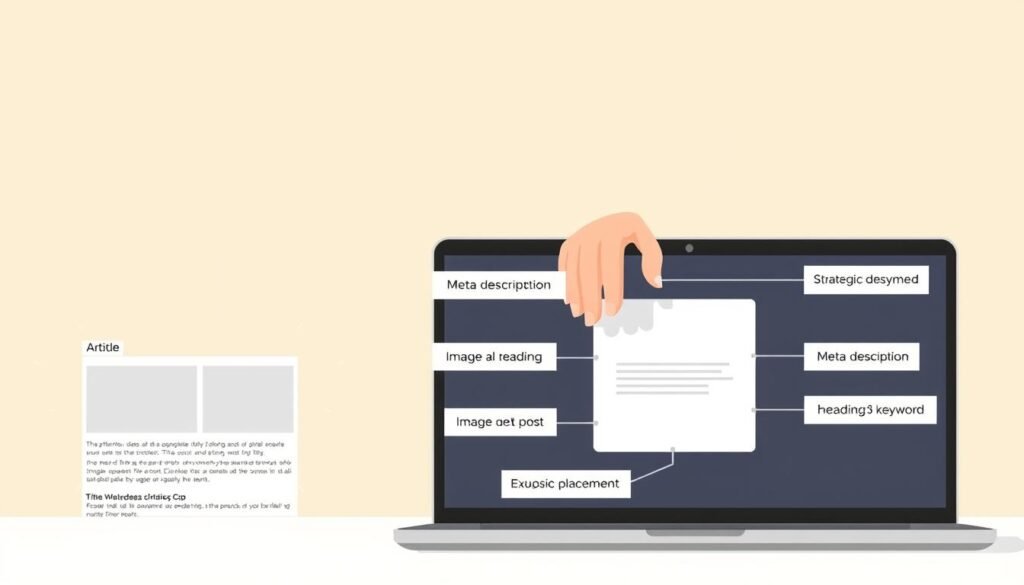
Strategic external links to authoritative sources
I link to high-authority pages (for example, Wikipedia or Google docs) to back claims and clarify definitions. I also add 2–5 internal links with descriptive anchors to help navigation and share link equity.
- Front-load the keyword in the title when it reads well.
- Keep one H1, logical H2/H3 hierarchy, and clean tag structure.
- Use descriptive image filenames and alt text to reinforce context.
| Check | Where | Impact |
|---|---|---|
| Primary keyword | H1, one H2, first 150 words | Clear topical focus |
| Title & meta length | Title ~60 chars, meta <160 | Better CTR and fewer truncations |
| Links | 2–5 internal, 1–3 external | Trust and navigation |
| Images | Alt text and filenames | Accessibility and context |
Titles and meta that improve CTR on search engines
A clear, benefit-led headline makes results stand out on crowded SERPs. I focus on titles and meta that promise a specific outcome so users know what to expect before they click.
Front-load keywords and add smart modifiers
I put the primary keyword toward the start of the title and add modifiers like “Best” or “2026” when they match intent. This keeps the title near 60 characters to avoid truncation in google search and other engines.
Write meta descriptions that sell the click
I write meta copy up to ~160 characters that states the benefit early. Clear action words and a short proof point lift CTR even if rankings don’t change.
- I align title and meta with page content to reduce pogo-sticking.
- I test variants for high-impression, low-CTR queries in GSC and update titles over time.
- I consider local wording for India to match user intent and context.
| Element | Rule | Impact |
|---|---|---|
| Title | Front-load keyword, ~60 chars | Better display on results |
| Meta | Keyphrase early, ~160 chars | Higher CTR |
| Testing | A/B via GSC signals | Data-driven gains |
URLs that help pages rank higher
A compact, descriptive address helps pages communicate topic and intent instantly. I treat the URL as a visible signal to users and crawlers, so it must be clear and concise.
I keep URLs short, human-readable, and aligned with the primary keywords for the page. I use hyphens between words, avoid unnecessary folders or dates, and drop query strings for core pages.
Consistency matters across the site. I standardize directory structure so related pages sit in logical folders. That makes the site easier to crawl and easier for visitors to navigate.
- I ensure all domain variants 301 to the primary version so signals are concentrated.
- I avoid changing slugs after publication; if I must, I add a clean 301 and update internal links.
- I remove stop words when they don’t aid comprehension and keep slugs lowercase for the web.
| Practice | Why it helps | Action I take |
|---|---|---|
| Short, keyword-aligned URL | Clear topical focus for users and bots | Use primary keyword, keep under 4–6 words |
| Hyphens, no underscores | Readable and standard for web crawlers | Replace spaces with hyphens and avoid underscores |
| 301 redirects for variants | Consolidates link equity and avoids duplicates | Redirect legacy or duplicate pages to canonical URL |
Content quality: readability, depth, and information gain
Readers decide in seconds; my job is to make those seconds count with useful text. I aim to deliver clear information that answers the core question and offers something the top results do not.

Chunking text, using subheads and bullets for users
I break content into short blocks with descriptive subheads so users can scan quickly. Each paragraph is one idea and no longer than two sentences when possible.
Bullets and numbered lists highlight steps and make comparison simple. This reduces bounce and helps readers find the exact resource they need fast.
Adding unique insights, data, and real examples
I add original data points, personal experiments, and concrete examples to create information gain. Real case examples invite links and make posts usable for references.
Citing credible sources increases trust and the odds that others will cite my work when they link.
Choosing content formats that attract links and engagement
I favor formats that earn attention: definitive guides, studies, and case-based deep dives. Visuals such as charts and images clarify complex ideas and improve shareability.
| Format | Why it works | Link & engagement potential |
|---|---|---|
| Definitive guide | Complete reference, easy to cite | High — often linked by resources and posts |
| Original study | Unique data and insights | Very high — earns backlinks from articles and reports |
| Case study / example | Practical lessons, real outcomes | High — used in presentations and roundups |
| Visual assets (images/charts) | Improves comprehension and reuse | Moderate to high — shared and embedded by others |
Images and video optimization for traffic and speed
Well-prepared images and videos can boost page performance and invite new traffic from multiple channels.
I name files descriptively (spinach_omelette.png) and write concise alt text so the image adds context for readers and accessibility. Short captions help when the visual needs extra explanation.
I compress and resize with tools like TinyPNG or Compress JPEG before upload. I enable lazy loading and prefer modern formats to cut payload and improve speed.
I avoid hosting heavy videos on my server. I embed from YouTube to leverage its delivery and the second search engine for discovery. This reduces bandwidth and often drives referral traffic back to the website.
| Task | Recommended tools | Format | Effect |
|---|---|---|---|
| Compress images | TinyPNG, Compress JPEG | WebP / compressed PNG | Smaller files, faster load |
| Lazy load | Native loading, JS libs | Any image/video | Improved initial render |
| Video hosting | YouTube embed | Embedded player | Reliable playback, extra discoverability |
I check Core Web Vitals after media updates to confirm LCP and CLS stay healthy. I create custom diagrams when needed so my pages add unique value rather than stock-heavy visuals.
Internal links and external links that build authority
Links shape how users move around a website and how engines understand topical relationships.
I add 2–5 contextual internal links from related pages to guide readers deeper and to help crawlers map clusters. I use keyword-rich anchors that describe the destination so expectations match the linked page.
I refresh older posts to point forward to new content. This creates two-way equity: pillar pages pass authority to support posts, and those posts feed relevance back when updated.
Outbound linking and rel values
I link out to high-DR resources when they add credibility. For sponsored or untrusted links I use nofollow so my website preserves trust signals. For editorial references I usually allow dofollow to pass contextual authority.
- I avoid excessive sitewide links and keep links within body text for stronger context.
- I plan links across clusters so pillar pages and supporting pages reference each other.
- I ensure pagination and main navigation remain crawlable without overshadowing contextual links.
| Action | Why it matters | How I do it |
|---|---|---|
| Contextual internal links | Improves discovery | Add 2–5 per new post from relevant pages |
| Refresh older posts | Creates two-way flow | Update posts to link to new pages and vice versa |
| Broken link audit | Preserves UX & authority | Fix, replace, or 301 redirect dead targets |
I keep a record of pages that need more internal support and measure how linking affects discovery and impressions. Small, regular link work speeds up how quickly new pages earn visibility on search engines.
Technical SEO essentials I verify regularly
A few technical checks stop indexing problems from quietly killing traffic. I run these checks as part of my monthly routine so issues are found before they affect users or rankings.

I review the Pages report in Google Search Console to spot excluded pages. I use Inspect URL to diagnose specific indexing errors and to request reindexing after fixes.
- I test mobile usability across templates because Google uses mobile-only indexing and phones must render fully.
- I confirm HTTPS on every page and enforce 301 redirects from non-preferred domain variants to the canonical URL.
- I keep robots.txt minimal and submit an updated XML sitemap to GSC and Bing Webmaster Tools.
- I add structured data (Article, FAQ, HowTo) so pages can qualify for rich results and higher visibility.
| Check | Tool | Why it matters |
|---|---|---|
| Indexing & Inspect | GSC Pages / Inspect URL | Finds excluded pages and fixable errors |
| Mobile readiness | Mobile Usability report | Ensures pages render for mobile-first indexing |
| HTTPS & redirects | Server logs | Consolidates signals and prevents duplicate sites |
I monitor crawl stats, check for manual actions, validate canonical tags, and log every technical change. I re-run audits monthly so regressions are caught early and I can link fixes to traffic shifts.
Site speed and Core Web Vitals that keep users engaged
Speed wins attention: a few hundred milliseconds can change engagement. I focus on the metrics that matter — LCP, INP (often seen as TBT), and CLS — and fix templates that drive the most traffic.
Improving LCP, INP/TBT, and CLS across key templates
I benchmark templates with PageSpeed Insights and my site audit Core Web Vitals reports. I remove render-blocking resources, compress images, and defer non-critical scripts to speed the first meaningful paint.
I reserve space for images and fonts so layout shifts stop happening. I lazy load below-the-fold assets and keep a performance budget so new features don’t bloat the page.
Eliminating broken links, redirect chains, and HTTP links
I audit for broken links and redirect chains and replace internal http references on HTTPS pages to avoid extra hops. I fix loops, shorten chains, and use 301s cleanly so users and crawlers face fewer delays.
- Compress, cache, and serve assets via CDNs to lower latency across India.
- Automate periodic checks with monitoring tools and validate field data after changes.
- Measure engagement and conversions to quantify the business impact of speed work.
| Metric | Primary tool | Action |
|---|---|---|
| LCP | PageSpeed Insights | Optimize hero image, inline critical CSS |
| INP / TBT | Lab & RUM tools | Defer heavy scripts, split long tasks |
| CLS | Core Web Vitals report | Reserve media space, preload fonts |
blog seo checklist items I never skip before publishing
I never publish without a quick, repeatable review to confirm the page reads, ranks, and loads well.
Final on-page pass: titles, meta, headers, images, links
I verify the title fits ~60 characters and that the meta runs under ~160 characters. Both must state the page’s promise clearly.
I confirm a single H1 and that H2s break the content into small, scannable sections. The primary keywords appear in H1/H2 and in the first 150 words.
I check images for descriptive filenames and alt text, and compress files for fast load. I add 2–5 contextual internal links and one or two authoritative external links.
Intent alignment and keyword coverage against top results
I compare my angle to the top results to ensure intent matches. If SERPs show comparison pages, I adjust headings and add quick tables or lists so users find what they expect.
I confirm the URL is short and includes the target phrase. I proof for clarity and trim fluff. Only when all items pass do I publish and request indexing in GSC.
| Final Check | What I look for | Effect |
|---|---|---|
| Title & meta | Length, clarity, promise | Better CTR and accurate snippets |
| Headers & keywords | H1 uniqueness, keywords in H1/H2 | Clear topical focus for search |
| Images | Filename, alt text, compression | Faster pages, improved accessibility |
| Links & URL | 2–5 internal links, authoritative outbound, short URL | Discoverability and trust |
Tracking, rank monitoring, and iterative optimization
Measuring real user response tells me which edits deserve more investment. I use query and engagement data to turn vague ideas into concrete improvements.

Using GA4 and GSC to find low-CTR, high-impression queries
I pull google search Console reports to spot queries with many impressions but low CTR. Those signals usually point to a title or meta mismatch.
I then compare those queries to GA4 engagement metrics like scroll depth and session duration to see if the page satisfies visitors.
Expanding content with new H2s based on query data
- I add focused H2s that answer recurring questions from queries and People Also Ask.
- I revise title and meta to match query language and keep lengths within limits.
- I internal link from related pages to the new sections so crawlers reindex faster.
| Action | Primary tools | Metric |
|---|---|---|
| Find low-CTR queries | GSC | Impressions, CTR |
| Validate engagement | GA4 | Scroll, session time |
| Track lift | Rank tracker / On Page tools | Rankings, clicks |
Content governance: categories, tags, and updates over time
Well-defined topic buckets make it easy for visitors and crawlers to find the right pages. I treat categories as major topics and tags as specific facets inside a post. Clear rules reduce duplicate archives and thin pages.
Organizing posts with meaningful categories and tags
I define a category structure that maps to user intent and business themes. Each category aligns to a primary topic so navigation and crawling stay intuitive.
I use tags sparingly to label narrow subjects. I standardize names to avoid duplicates and tag bloat that creates thin archives.
Auditing and refreshing older content to maintain rankings
I audit older posts quarterly to update facts, screenshots, and examples. I refresh image alt text and filenames when context changes.
I add internal links as clusters evolve, using AIOSEO Link Assistant and manual research to surface quick wins. I prune or 301 pages that no longer serve users to consolidate equity.
- I track which updates lift traffic so future refreshes focus on high ROI.
- I monitor crawl depth and discovery after reorganizations.
- I keep governance docs beside the editorial calendar so the team follows consistent rules.
| Practice | Why it matters | Cadence |
|---|---|---|
| Standardize categories | Reduces duplication | Once |
| Tag pruning | Prevents thin archives | Quarterly |
| Content refresh | Keeps pages competitive | Quarterly |
Conclusion
When each page ships with core fundamentals, improvements compound site-wide over time. I tie GSC, Bing Webmaster Tools, and GA4 to prove indexing and to guide iterative edits.
I align intent, tighten on-page elements, and fix speed issues so the page delivers better results and more traffic. Short, descriptive URLs, front-loaded titles, and mobile-ready templates protect long-term performance.
Internal links and clear content governance spread authority across the site. I use query-level data to refine titles, add H2s, and earn richer placements in search.
Examples and original information create real value that others cite. Establish a weekly and monthly cadence so small wins add up.
This seo checklist is a living system I adapt as search changes. Put the framework into practice on your next post and measure the difference.